Create Transaction Policy Flow
FINTECH · B2B SAAS · PRODUCT DESIGN
Turning complex institutional security rules into a guided policy-creation flow. The platform provides digital-asset security solutions for financial institutions. One of its most important capabilities is allowing administrators to define policies that control how company funds can move. I designed a guided transaction-policy builder that helps administrators define permitted operations, currencies, initiators and approval requirements across different transaction amounts.
Role
UX Architecture, UX UI design, Dev handoff and design QA
Collaboration
Product Managers, Security Engineers, Compliance & Blockchain Engineers
Target users
System Administrators, Security Officers, Institutional Managers
Status
Shipped in GK8 Enterprise Console

The challenge
Banks and large financial organizations manage significant digital assets across many accounts, employees and approval roles.
Every transaction must follow the institution’s internal security policies. Administrators need to control:
Which operations are permitted.
Where funds can move from and to.
Which currencies can be used.
Who can initiate transactions.
Who must approve different transaction amounts.
A configuration error could block legitimate transactions or allow funds to move without the required oversight.
The challenge was to make these rules manageable without oversimplifying the security requirements behind them.

One policy must coordinate permissions across users, accounts, currencies and approval roles.
The design approach
I divided policy creation into five focused steps:
Operations
Currencies
Initiators
Approvals
Review
The sequence moves from broad transaction rules to more specific authorization logic. This prevents administrators from facing the entire policy model on one screen.
A persistent step indicator communicates progress, and the policy is automatically saved as a draft while it is being configured.
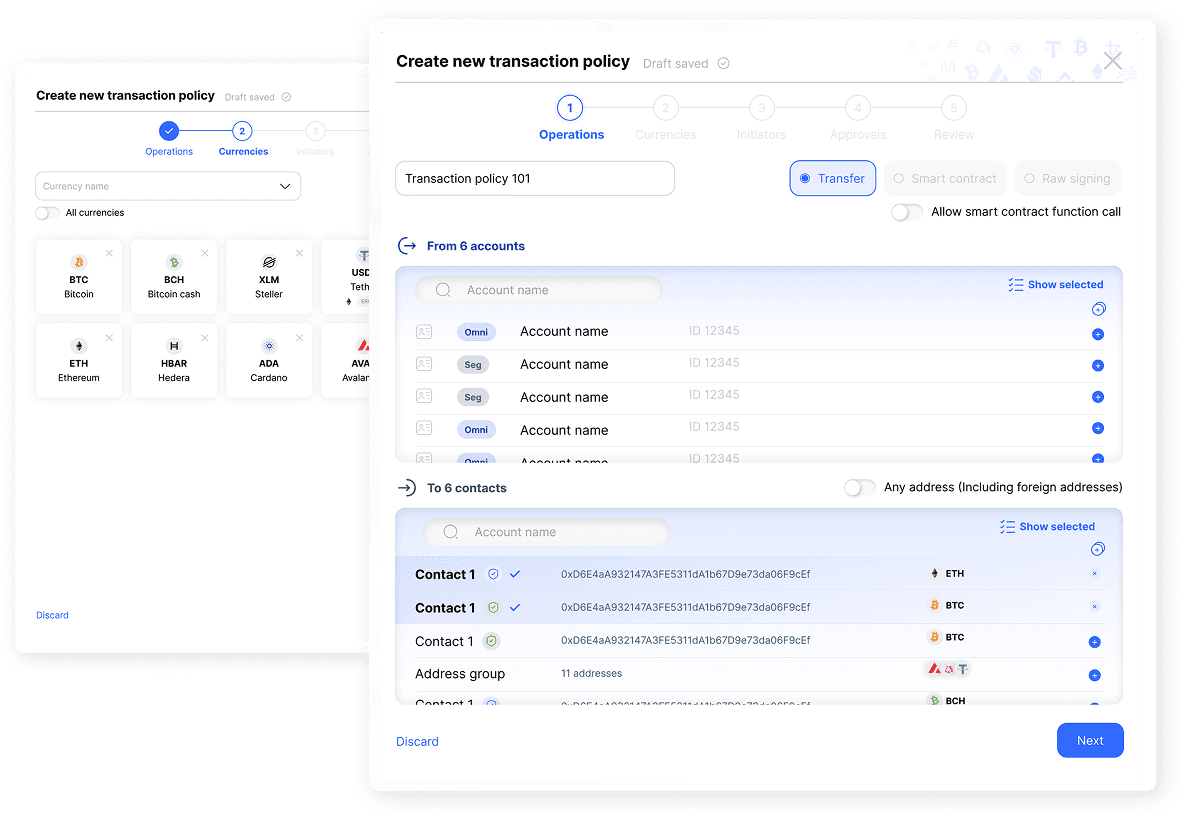
A complex security policy becomes a clear sequence of decisions.
1. Defining permitted operations
The first step establishes which transaction types the policy controls and where funds may move.
Administrators can select multiple accounts, contacts and addresses using structured tables. Supporting actions make large datasets easier to manage:
Select all.
Show only selected items.
View the total selection count.
Include addresses that are not registered in the system.
Review selected rows separately.
This allows administrators to manage large selections without losing visibility into what the policy includes.
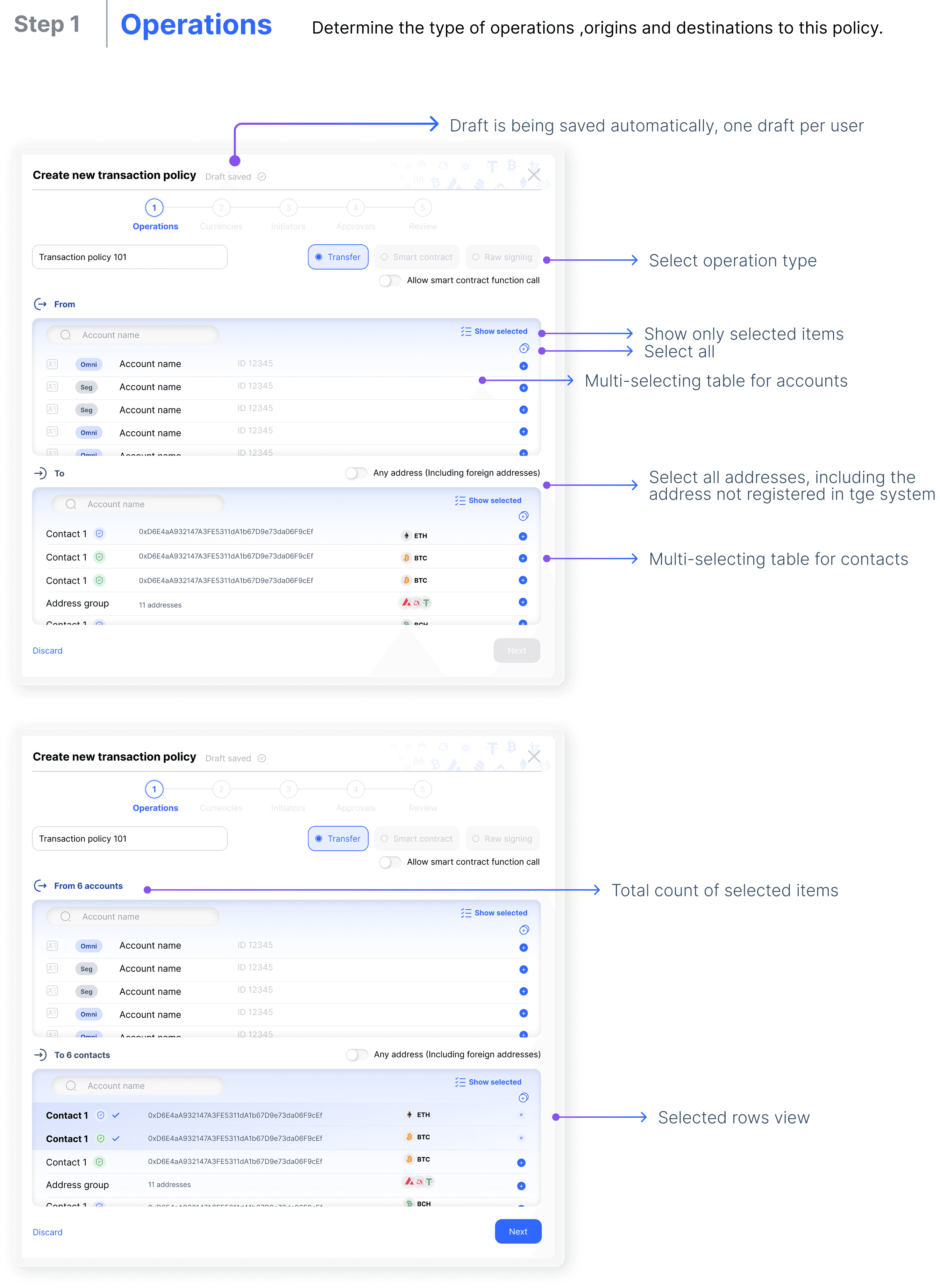
Large selections remain visible and manageable throughout the configuration.
2. Selecting allowed currencies and initiators
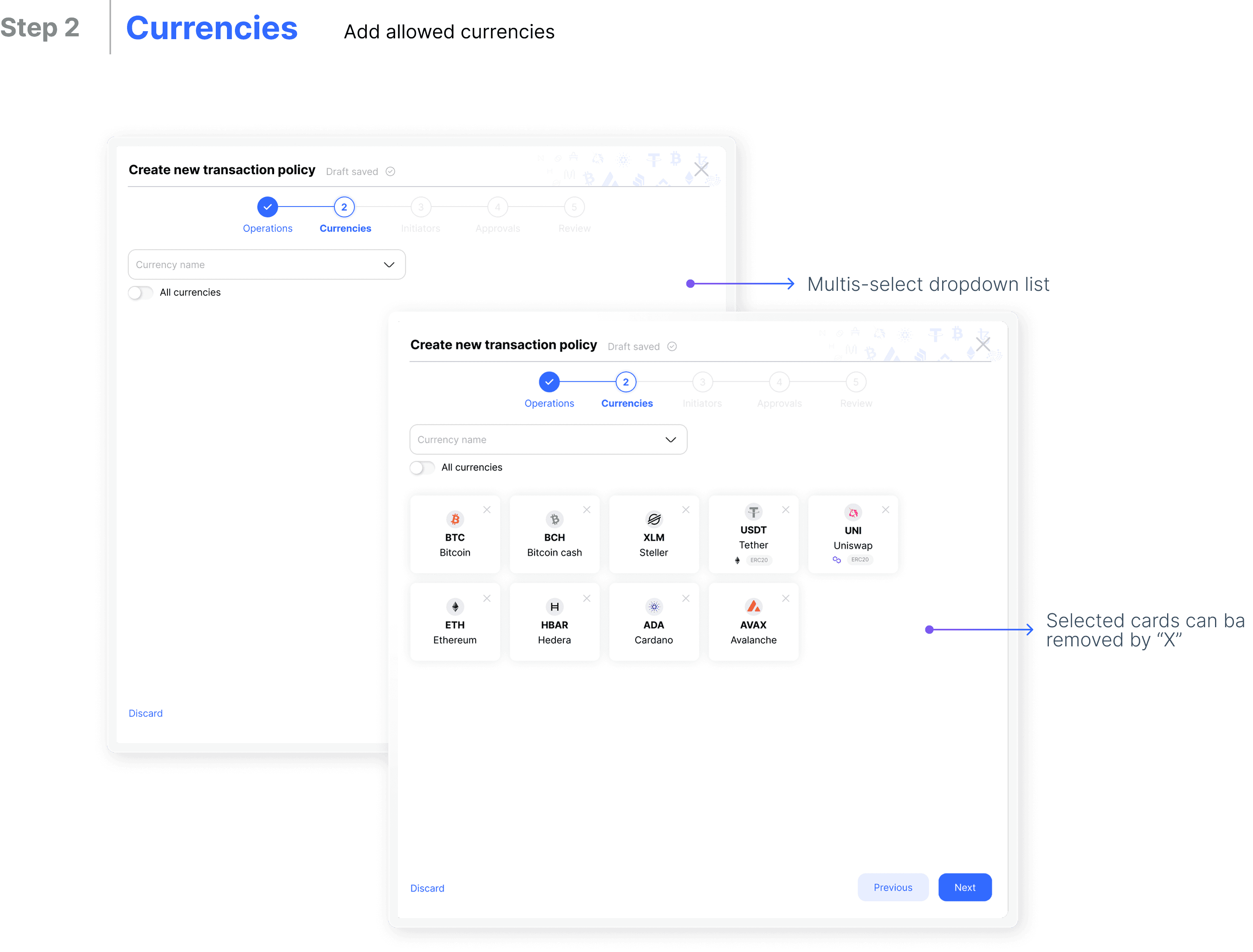
Administrators can define which currencies are permitted under the policy and remove selections directly from the selected-currency list.
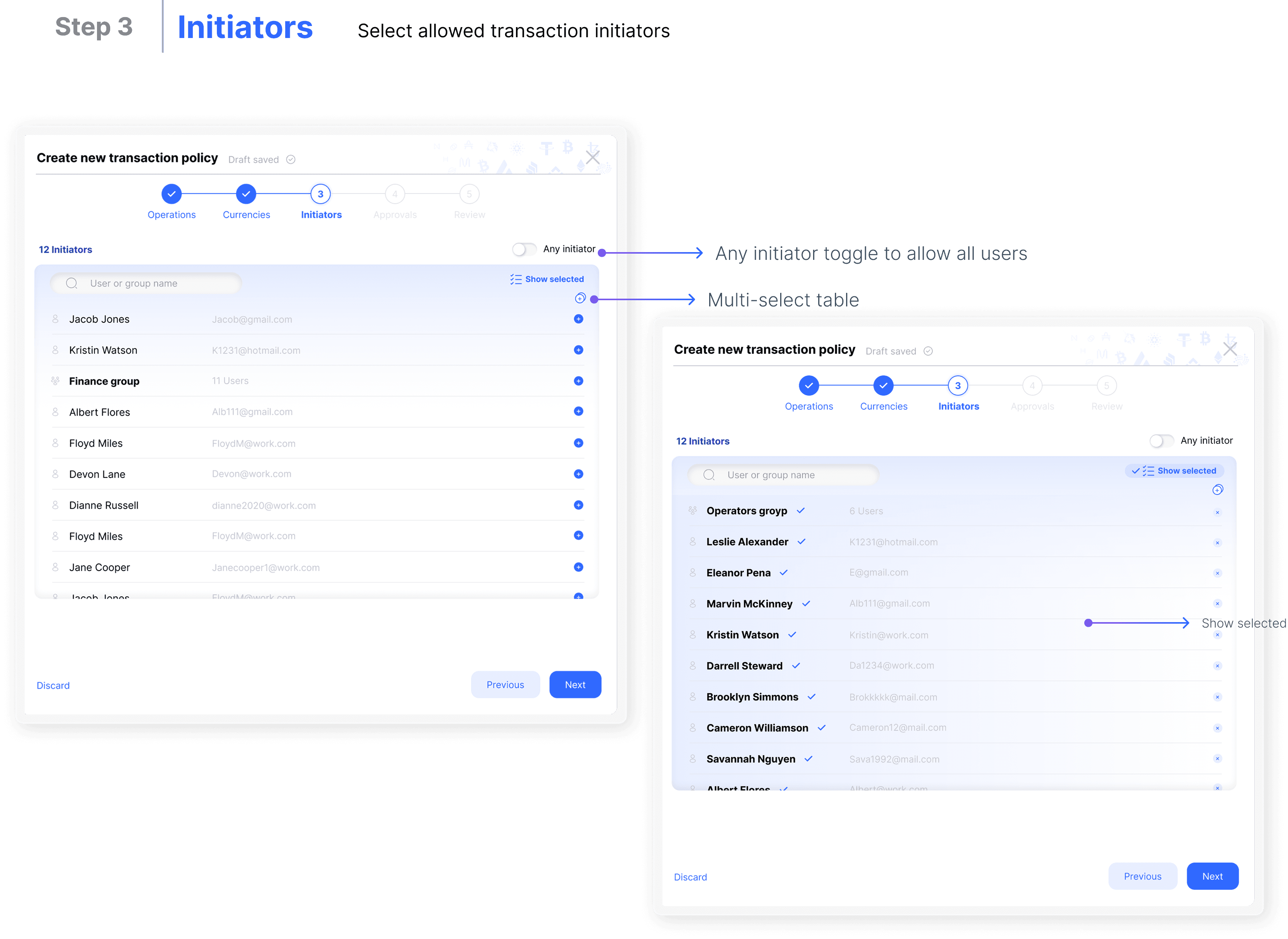
The Initiators step determines who is allowed to begin a transaction. Users can select specific people through a multi-select table or enable Any initiator when the policy should apply to everyone.
Keeping these decisions in separate steps makes two different types of permission explicit:
What assets may be moved.
Who may initiate the movement.
3. Building approval logic around transaction amounts
Approval requirements often change according to transaction size. A small transfer may need one approval, while a larger one may require several roles.
I designed a visual amount-range builder that allows administrators to create ranges by entering values or adjusting them on a bar. Ranges can represent individual transactions or cumulative daily and weekly amounts.
After the ranges are applied, administrators define the approval workflow for each one.
They can:
Use an unlimited upper amount.
Configure several transaction ranges.
Apply a general approval workflow.
Set different requirements for each company role.
Define how many approvals are required within each range.
This translates abstract financial rules into a visual model that can be inspected and adjusted.
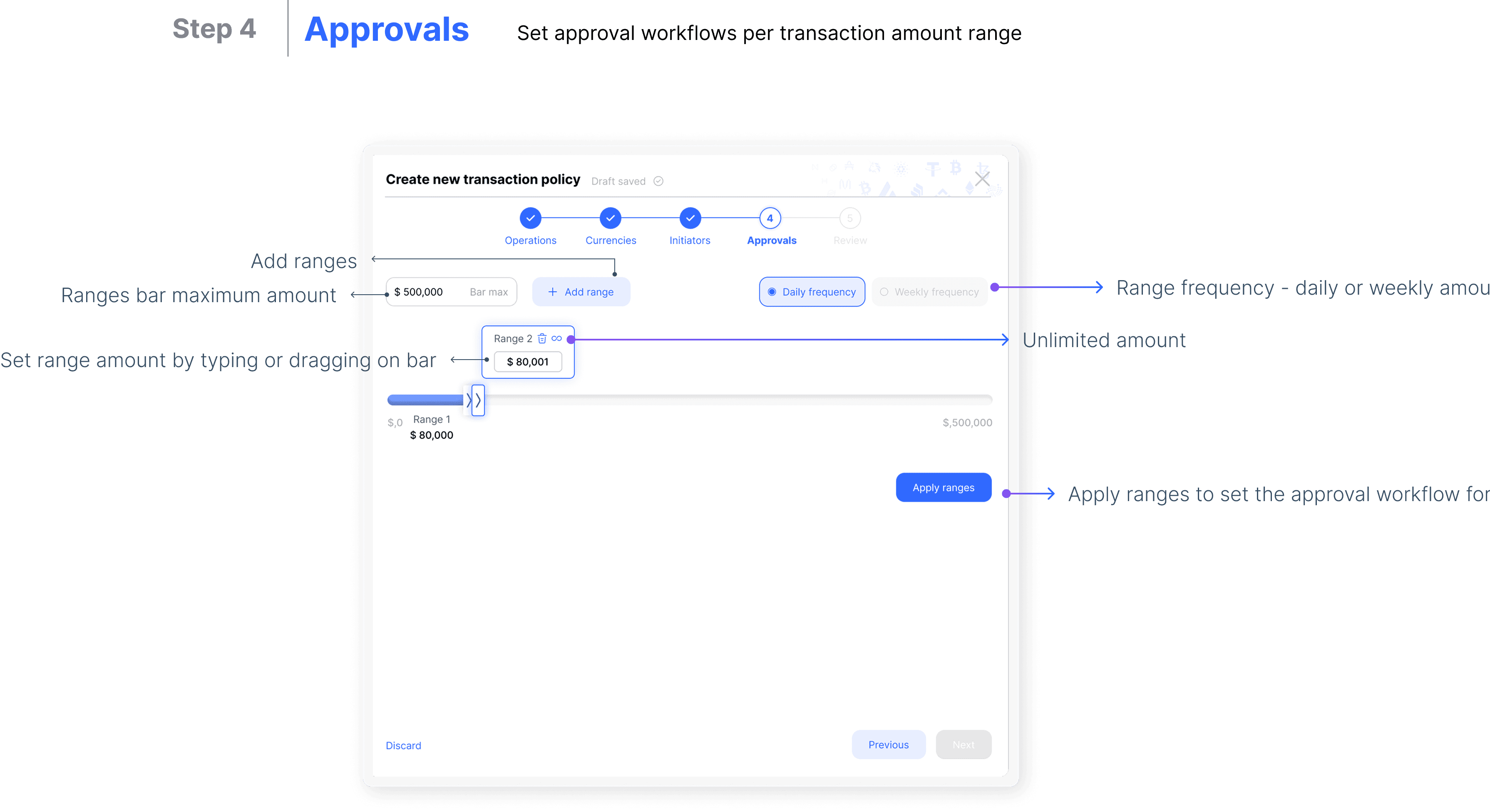
Transaction thresholds are defined visually before approval requirements are assigned.
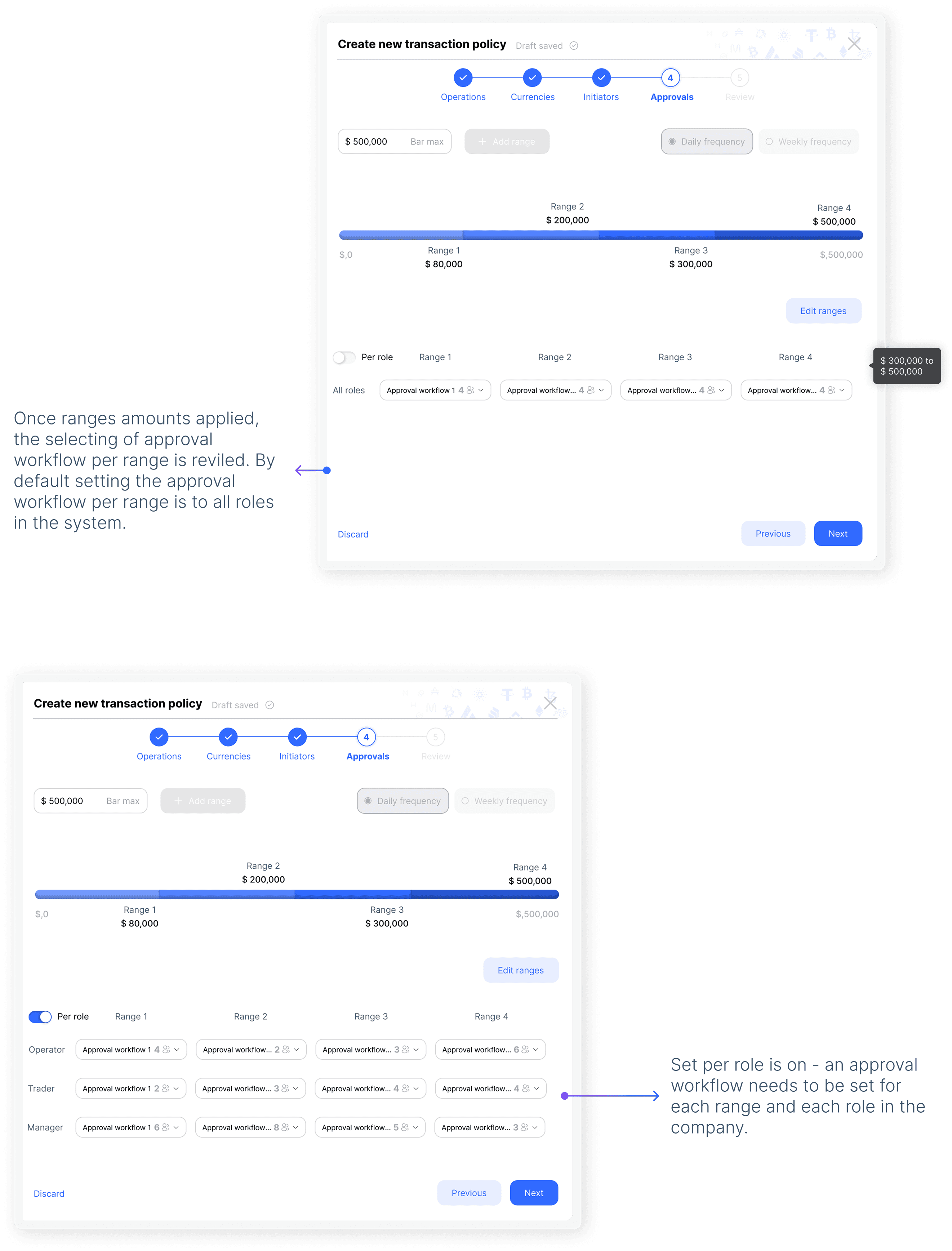
Each amount range can trigger its own approval workflow.
4. Reviewing the complete policy
Before creating the policy, administrators reach a read-only summary of every decision.
The Review step organizes the policy into expandable sections matching the earlier steps. Administrators can confirm the complete configuration without navigating through multiple forms.
If something needs to change, they can return directly to the relevant step.
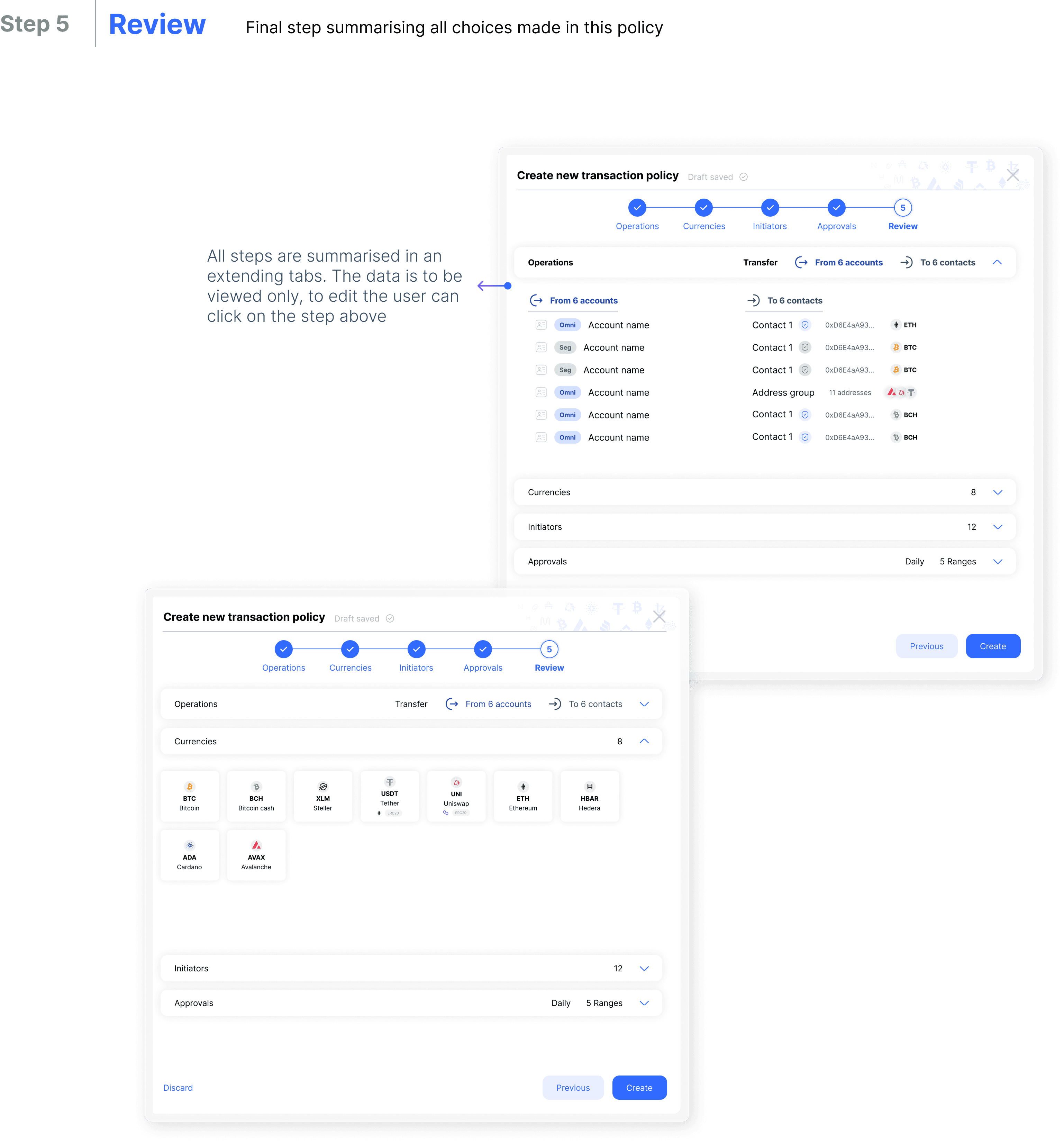
The final review turns a complex rule set into one auditable summary.
The final outcome
The resulting flow transforms a dense security configuration into a structured policy-building experience.
Administrators can now:
Build a policy through five understandable steps.
Manage large account and contact selections.
Limit policies to specific currencies and initiators.
Create approval rules for different transaction amounts.
Configure approvals by organizational role.
Review the complete policy before activation.
Continue unfinished work through automatic draft saving.

Impact and reflection
The design established a structured way to translate institutional security requirements into a usable configuration flow. It reduced the amount of information shown at once while preserving the detailed controls required by financial organizations.
The main design lesson was that complex financial workflows should not hide important rules. The better approach is to reveal those rules in the order users need to make decisions and provide a clear summary before they take effect.
Potential KPIs:
Time required to create a policy.
Policy-configuration error rate.
Number of policies abandoned before completion.
Time spent reviewing or correcting approval rules.
Support requests related to policy configuration.